- Details
- Hits: 3462
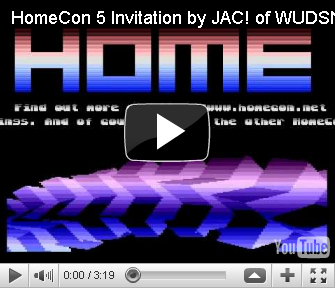
The HomeCon is a small German convention for 8/16 bit consoles organized every 3-4 months around Frankfurt/Germany. I have been there three times and met many incredible and crazy people. Based on some party coding I did to show how WUDSN IDE works, I decided to promote the party by turning my party coding into an actual invitation. Given that there have been more than 400 views on YouTube, I think it is time to upload my latest production to my site. Since the YouTube video is my first upload, the encoding is quite jerking, and one sound channel is missing. So you might better check out the entry in the Productions area or visit Pouet to leave some comments.
- Details
- Hits: 3262
After being busy with things that provide money, I finally returned to the things that provide fun. All the time, I shied away from creating a new version of the IDE because I had a lot of changes to the site structure pending, which I wanted to finish first. Now, finally, it's done. The WUDSN site is now a member of the Atari 8-bit WebRing. Thanks to Raphael Espino for his support. In addition, you can now find it via the "Curlie" (formerly DMOZ) Directory in the branch Computers > Systems > Atari > 8-Bit. And those who like that new way of chatting can now contact me via WUDSN on Twitter.
- Details
- Hits: 4393
Once again, it's early morning, and I'm finally done with packaging the new version. As usual, you can update the feature via the update site. Note that the file format of the ".cnv" files for the graphics editor alpha version has changed incompatibly - and probably also not for the last time ;-)
Features: See the tab "Features" on WUDSN IDE for screenshots
- The context menu entries "Open Folder", "Open With Hex Editor", and "Open Graphics Editor" are now positioned as they should be in the Project Explorer context menu
- New context menu in the hex editor with the entry "Copy as Hex Values."
- The new context menu entry "Open With Graphics Editor" in the hyperlink navigation for binary includes
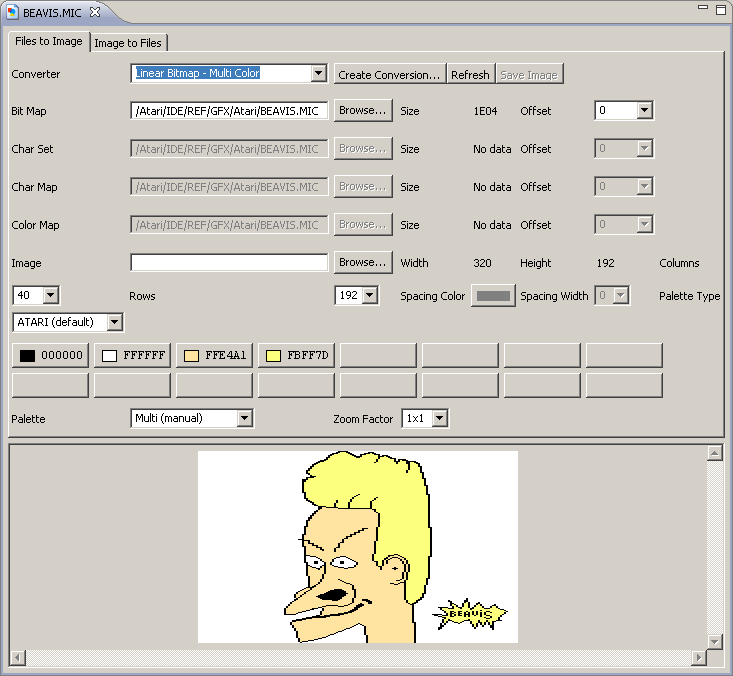
- The graphics editor has an improved layout, better checks, and supports saving the resulting image as a ".png" file
- The dependency on the "org.eclipse.jdt.code" plugin has been removed so that you can run WUDSN IDE in a minimal Eclipse installation without the Java Development Toolkit (JDT). I use this, for example, to run Eclipse in an Ubuntu Linux image test bed in Virtualbox
- Separate content types for Atari 8-bit and C64 source files
- Separate compiler preferences pages for Atari 8-bit and C64 compilers
- Preliminary support for the C64 compiler "ACME". Completing this will take some time since it supports quite complex syntax. But I have managed MADS, so I'm going to manage this once also - and code a HomeCon invitation on C64 as a tribute, maybe
Hardware Compiler Download Help Compiling Single-Line Comments Block Comments Strings Opcodes Directives Compile Log Parsing Content Outline Hyperlink Navigation Label Definition Files Format C64 ACME Yes Yes Yes Yes: ;| n/a Yes: " Yes Yes Yes Yes Yes ACME
Fixes:
- The line end comments are now used as descriptions for source, and binary include files in the content outline.
- The "Open Folder" context menu entry works again. This bug was introduced in version 1.4.0.
- The folder containing the output and symbols files is refreshed automatically after compiling to ensure the Eclipse resource cache is synced with the file system.
- Details
- Hits: 3505
As you can see, it took far more time, but now the features tab is updated. I have added all the new features of version 1.4.0 and the features from version 1.4.2, which will be released next weekend. Initially, I had planned to use "PNG" as the file format for the conversion files of the graphics editor. The idea was to store the converted image as a thumbnail in the conversion file. This way, you could have watched the conversion files in the Explorer directly without creating separate image files. I got the idea from the excellent game Crayon Physics, which I bought some time ago. They use the "tEXt" chunks of the PNG file to store the level information together with the level map thumbnail. Unfortunately, it turned out that - even after tweaking the registry - Windows refused to display thumbnails of PNG files if the file extensions was ".cnv" and not ".png". And since I want to keep the focus of this project, I decided not to start creating C# code or DLLs to make that work. So, I had to revert all my changes to the file format, which is why there is no official version 1.4.1.  A significant enhancement of the forthcoming version results from the past two HomeCon parties, where I met many friendly people using Commodore machines. Some were very interested in WUDSN IDE, and Draco provided me with the ACME compiler and sample source (after he bought an Atari 800 XL, too ;-). So I added the support for multiple types of hardware, i.e., besides Atari 8-bit compilers, C64 compilers and emulators can now be added.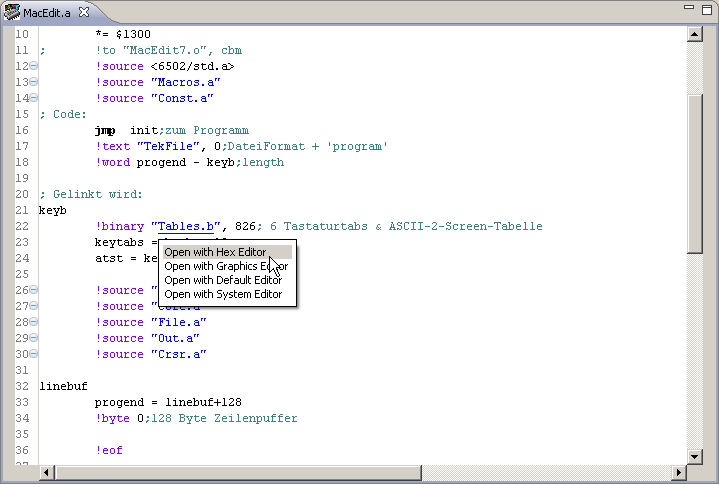
- Details
- Hits: 4523
It's 4 a.m., and the new release is finally out. I'll summarize the new features and updates here and update the "Features" tab tomorrow since I feel like I ought to be in bed now ;-)
Features:
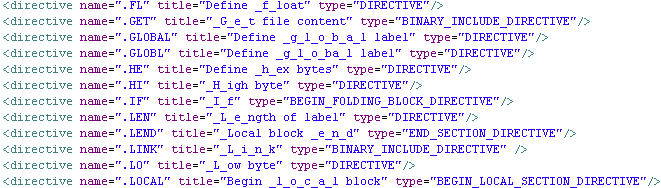
- Support for MADS and XASM directives is complete now. The definitions of folding and outline sections are now based on a descriptive configuration that can be easily adapted. This will make adding additional platforms and compilers relatively easy with reasonable effort. For example, the remaining coding for the parsing MADS source code is now down to 16 (!) lines.
- Every type of section now has its type icon in the content outline, and the content outline now also recursively parses included source code files on the fly. This allows you to drill down into files without even opening them. It is also the basis for future features, macro syntax highlighting, and forward navigation. The toolbar of the content outline has a toggle button for sorting the sections and labels. The state of the button is persisted automatically along with the respective source file. The setting from the currently opened file will be used for files that do not have a setting yet.
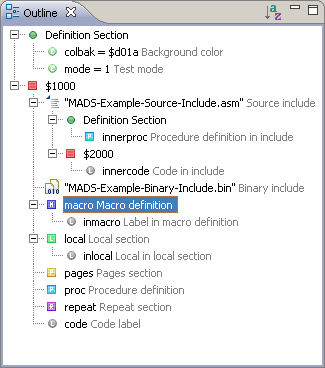
- The content outline folding and positioning now remain stable as you type. For example, if you introduce a new label in an open local section, the tree will insert that label in the correct position and keep the opened branches as they are.
- The restriction that opcodes or directives must not start in the first column no longer applies.
- The console for the compiler now has a localized title, "Compiler Console," and is brought to the front automatically when the compiler is started. This prevents the compiler output from being hidden behind other consoles in the console view.
- Single-line comments for the current line selection can be toggled using "CTRL-7" or the context menu entry "Toggle Comments".
- The "Open With Hex Editor" menu entry now closes an existing editor in case the file is already opened, forcing the file to be opened with the hex editor. In addition, the hex editor is set as the default editor for this one file. Consequently, double-clicking the file in the package explorer will open it automatically with the hex editor, no matter which file type. This saves you from always using the context menu just because the file has no known file type. Using the "Open With" context menu entry, you can change the default editor again.
- The new graphics plugin is included as an alpha version. You can open the "Graphics Editor" via the context menu entry "Open with Graphics Editor," just as for the hex editor. Saving images and converting from an image to files is not supported yet. The editor will try to default to a suitable converter based on the file size, file name, and content. For example, files of sizes 1024 and 2048 are assumed to be fonts. Files of size 7680 or 7684 bytes are considered to be MicroPainter pictures. I even hacked support for opening compressed MicroPainter images based on the source of the excellent "FAIL (First Atari Image Library)" tool by FOX and his friends. Note that it works only for opening by now, not for conversion. I like to say thanks a lot to FOX for the tips and the example files.
Fixes:
- The "Assembler" menu is visible now only if an Assembler editor is active. The contained entries and shortcuts are disabled if no Assembler editor is active.
- The output file is not deleted before the compiler is started. Instead, it is only checked for being writeable. This allows for direct compilation into an existing ATR image.
- The application name used to open the output file is now included in the info message.